


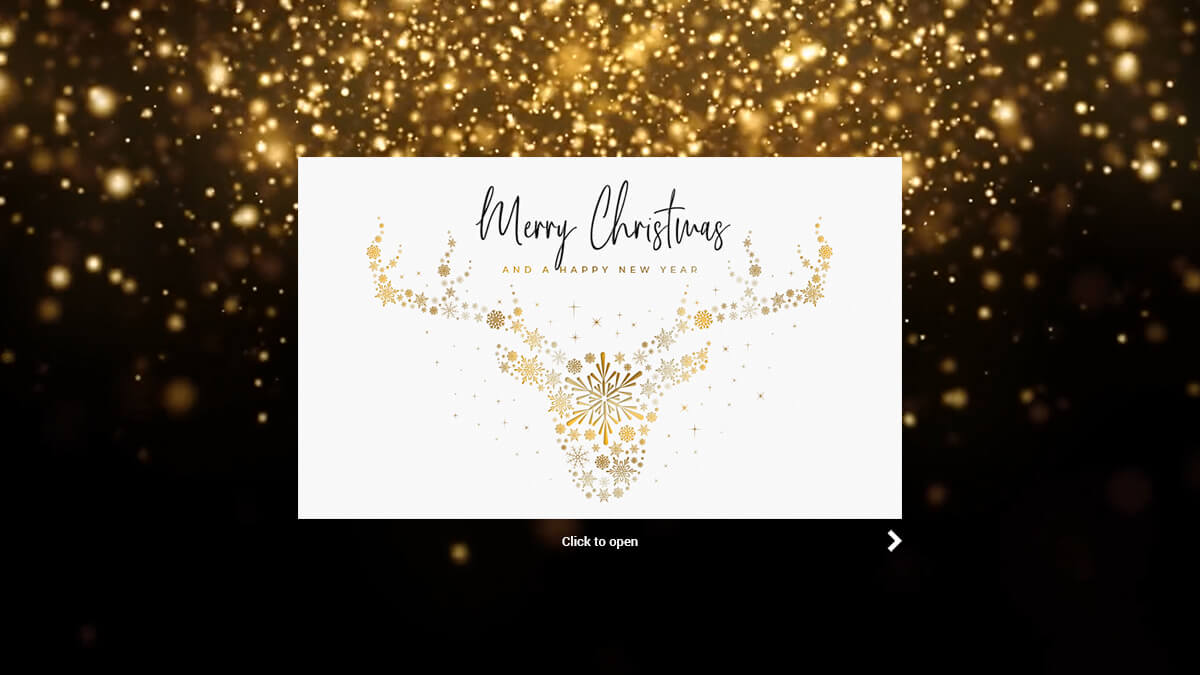

WhatsApp Christmas card: how to create and send one
A Christmas card sent over WhatsApp takes a few minutes. Below you will find the right image sizes, 12 greetings to copy, and a step-by-step guide for chats, Status and broadcast lists. Further down: where the messenger runs into limits once the greetings go out on behalf of a company, and how to share a finished eCard as a link over WhatsApp.

How to send a Christmas card on WhatsApp in 4 steps
From artwork to sent message it takes four steps. The first one decides how good the card looks on the recipient's screen.
1. Choose or design the artwork
Take a ready-made design or create one yourself. The aspect ratio matters: WhatsApp crops image previews inside a chat, so text and logo should not run to the edge. Leave a calm area free at the top or the bottom.
2. Save the image to your phone
Save the finished image to your gallery. Status posts need portrait format at 1,080 × 1,920 pixels, while square artwork works most reliably inside a chat. Save as JPG when the design is mostly flat colour, and as PNG when it contains fine lettering.
3. Open a chat, Status or broadcast list
For a single contact, open the chat and attach the image using the paperclip. To reach every contact at once, post it to your Status. For a selected group of recipients, create a broadcast list so the message arrives individually instead of in a group thread.
4. Add your greeting and send
Write a short personal message to go with it. Two or three sentences are plenty, and a concrete reference lands better than a generic formula. Twelve ready-made greetings to copy are further down this page.
Which option fits which purpose?
There are four ways to send a Christmas card over WhatsApp: three that use an image from your gallery, and one that uses a link to the finished card. They differ in format, in reach, and in how personal the message feels.
| Option | Format | Best for |
|---|---|---|
| Single chat | Square, 1,080 × 1,080 px | The most personal route. The image appears as a preview in the thread with the greeting right below it. Workable up to roughly 30 contacts. |
| Status | Portrait, 1,080 × 1,920 px | One greeting for every saved contact, visible for 24 hours. You reach a lot of people at once but give up any personal salutation. |
| Broadcast list | Square, 1,080 × 1,080 px | Several recipients, each receiving the message individually. Only works if those recipients have saved your number. |
| eCard link | A link, not an image file | The card lives on the platform and opens in the browser, animated and in your corporate design. The chat shows a preview tile only. This is the route for greetings sent on behalf of a company. |
12 WhatsApp Christmas greetings to copy
Three tones, four messages each, all short enough to stay readable in a chat without tapping to expand. Replace the details in square brackets with your own.
Warm
- Merry Christmas! ❄ Thank you for being part of this year. I hope you get quiet days, good food and time with the people who matter to you.
- Happy Christmas to you and [name]! Thank you for everything this year brought our way. Looking forward to seeing you in the new one. ✨
- Merry Christmas! I hope the year winds down gently for you and ends as warmly as it should. Talk soon!
- Season's greetings all the way to [place]! ★ Thank you for listening when it counted this year. Enjoy every bit of the holidays.
Light-hearted
- Merry Christmas! ⛄ I hope your tree stands straighter than mine and your biscuits last longer. My record is twelve minutes.
- Happy holidays! If the family gathering turns into a lot, I am reachable and I do not judge. ❄
- Merry Christmas! May your wrapping paper be sufficient, your roast turn out well, and nobody ask about your plans for the new year. ★
- Ho ho ho! ⛄ Wishing you holidays with few appointments, plenty of dessert and exactly the right number of cinnamon stars.
Reflective
- In the middle of all the rush, I wish you a moment of quiet: a few still hours, warm light and the good feeling that what matters stays. ✨
- A peaceful Christmas to you. May these days pass more slowly than the rest of the year did.
- Merry Christmas. Thank you for the conversations that did some good this year. I wish you days where nothing has to happen. ✧
- Happy holidays! Wishing you rest, good thoughts and a start to the new year that feels light.
Where WhatsApp runs into limits for corporate Christmas greetings
For private messages the messenger is ideal. Sending on behalf of a company adds requirements that a private chat channel does not cover.
- Mobile numbers required: in B2B, mobile numbers for customers and partners are rarely on file across the board. An email address, by contrast, is almost always in the contact record.
Business contacts in a private messenger: sending this way means business contacts have to sit in a private address book, which WhatsApp accesses. Whether that fits your company's policies is worth clarifying with your data protection officer first.
Generic look, no tracking: an image from your gallery carries no corporate design, no automatic salutation and no feedback on who actually saw the greeting. Every message goes out one at a time.
One greeting to every business contact, on brand and accountable
Instead of individual messages, Power eCard sends your Christmas greeting by email to every external recipient at once. Here is what the platform takes care of:
- Corporate Design
Centrally managed card designs in your corporate design, instead of random results that change every time.
- Mass mailings
Bulk sending to several thousand recipients, spread across any number of senders.
- Personalisation
Personalised salutation, closing line and signature are inserted automatically.
- Hosting in Germany
GDPR-compliant, hosted on a server in Germany, with logical tenant separation.
- Open tracking
Detailed insight into how your campaigns perform.
- Ready-to-use template in under 15 minutes
Use and customise over 100 designs - no prompt tuning, no trial and error.
WhatsApp or eCard? A side-by-side look
Both routes have their place. The question is whether you are sending privately or on behalf of your company.
| Criterion | Power eCard | |
|---|---|---|
| Contact data | mobile number required, rarely on file in B2B | an email address is enough |
| Appearance | image in a chat window, no branding | card design in your corporate design, with logo |
| Salutation | typed manually per message | personalised automatically |
| Sending | one by one, or broadcast to saved contacts | bulk sending to several thousand recipients |
| Accountability | read receipts in the chat only | delivery and open tracking |
| Effort | grows with every recipient | stays roughly flat beyond 100 recipients |
It is not an either-or, though. You can also send the finished eCard over WhatsApp, as a link rather than an image file.
Sending the eCard over WhatsApp
Power eCard generates a shareable link for every finished card. Pass that link along in WhatsApp and the card opens in the recipient's browser: animated, in your corporate design, and without the quality loss WhatsApp causes when it compresses images. The chat shows a preview tile with the title and the artwork.
1. Set up the preview
Designers and administrators set a title of up to 55 characters, a description and a preview image under "Social media link settings (OpenGraph)" in the eCard settings. That is exactly what the recipient sees as a tile in the chat, so it is worth a look before the first send.
2. Create the link
Under "Share > Share a new eCard link", select the card, check the text, confirm the summary and click "Create shareable link".
3. Share it over WhatsApp
Under "Share on", hand the link straight to WhatsApp, or copy it to the clipboard and paste it into the chat yourself. Alongside WhatsApp, the options are LinkedIn, Xing, Twitter, Facebook and Microsoft Teams. Links you have already created are managed under "Share > eCard link overview", where you can preview them, copy them again or delete them.
What this route does not do
One link carries one text. For different salutations, create a separate link for each.
Once a link exists, its content cannot be edited; a change means a new link.
The feature is not yet available for the Gatefold template.
Administrators can restrict sharing as a whole, direct sharing, or individual channels in the settings.
For the main Christmas send, with a personal salutation per recipient and open tracking, email remains the first choice. The link covers everything around it: a greeting to an individual contact, the card in a team channel, or a post on LinkedIn. The detailed steps are in our guide.
Prefer a Ready-Made Design?
Over 100 free templates are available for Christmas - from the classic gold design as a folding card to the animated scroll card. Each design can be adapted with your logo, greeting and signature in just a few minutes. Alternatively, you can create an entirely custom design in your corporate design using the live editor.
Quick Answers
- Can I send a Christmas card through WhatsApp?
Yes. Save a design to your gallery, open a chat or your Status, and attach the image using the paperclip or camera icon. The greeting goes in as the caption. For several recipients at once, create a broadcast list.
- What size should a WhatsApp Christmas card be?
Portrait at 1,080 × 1,920 pixels for Status, and a square design at 1,080 × 1,080 pixels for chats. WhatsApp compresses images on sending, so fine lettering should not be set too small.
- How do I send the card to several contacts at once?
Through a broadcast list. Each recipient gets the message individually rather than in a group, but only if they have saved your number. Alternatively, a Status post reaches every contact at once, without a personal salutation.
- Can I send an eCard over WhatsApp?
Yes, with Power eCard! Under "Sharing", Power eCard generates a link to your finished card, which you can hand straight to WhatsApp or copy to the clipboard. The recipient opens the card in their browser, animated and in your corporate design. A personal salutation per recipient and open tracking are not available on this route; email covers those.
- Is WhatsApp suitable for corporate Christmas greetings?
For a handful of close business contacts it works. Sending on behalf of a company is another matter: mobile numbers are rarely on file in B2B, business contacts would have to sit in a private address book, and there is neither corporate design nor any reporting. Whether the messenger may be used for business contacts at your company is worth clarifying with your data protection officer.
- What does a digital Christmas card cost for a company?
Power eCard offers one-off licences for a single mailing as well as annual licences. Pricing depends on company size and the scale of the send. The pricing page has the full overview.
- When should Christmas greetings be sent?
The sweet spot runs from early to mid December. Greetings land before inboxes fill up in the final stretch before the holidays. New Year wishes work as an alternative or an addition, particularly for international recipient lists.
Christmas: all content at a glance
From picking a design to sending your holiday mailing -
find all guides, templates and tips for your Christmas greetings here.


